Free Cinema 4D plugin · R&D
Scene Colorizer
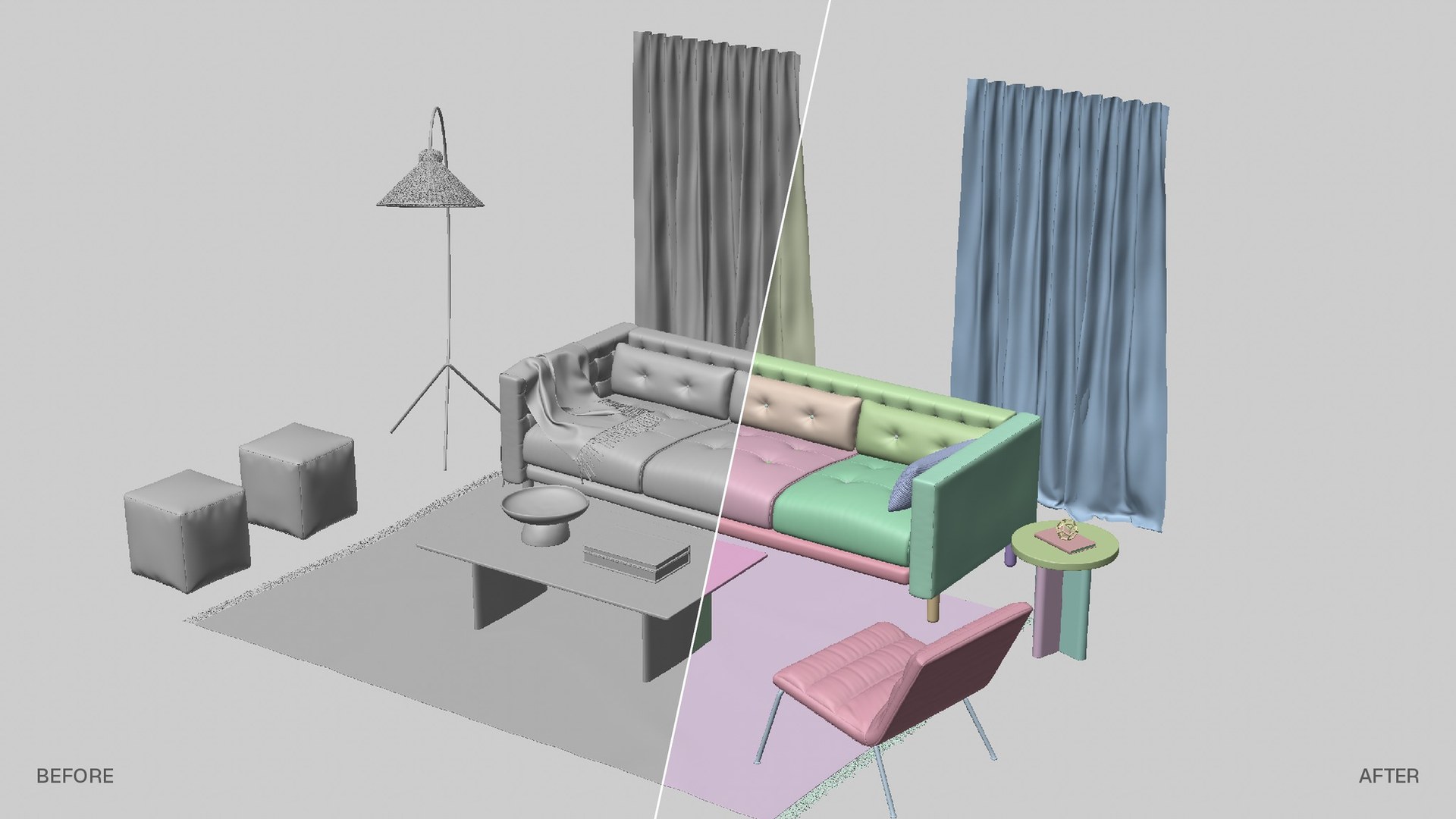
One click, and every object in your scene gets its own colour. Read a busy scene at a glance, in the viewport and in the Object Manager.
Version
1.0
Cinema 4D
2025 – 2027
Tested on
2027.0, Windows
Renderer
Any
What it does
Colours saved in your sceneFour palettes
Pastel, Vibrant, Dark and Light. Neighbouring objects never get similar colours.
By object or by group
Give every object its own colour, or let children take a shade of their parent's colour.
Object Manager icons
The same colours on the object icons, so the list matches what you see in the viewport.
Saved in the scene
The colours are written on the objects, not a view mode: they stay in the file for whoever opens it.
Install in 3 steps
- 1. Unzip the download.
- 2. Copy the SceneColorizer folder into your Cinema 4D plugins folder: Preferences > Open Preferences Folder, then plugins.
- 3. Restart Cinema 4D and open Extensions > Scene Colorizer.
Good to know
- It works on the selected objects, or on the whole scene if nothing is selected.
- Colorize replaces display colours you set by hand on those objects. Remove Colors takes them off, and everything can be undone.
- Sky, Background, Environment and Foreground objects are left alone.
- Cinema 4D 2027 has a Random Object Color view mode. Scene Colorizer is different: you choose the palette, the icons get coloured too, and the colours stay in the file.
- Made for Cinema 4D 2025 – 2027. It should also run on R23 – 2024, and on macOS, but those haven't been tested.
Goodbye, grey viewport.
Download Scene Colorizer 1.0Free for personal and commercial work. Please share this page instead of re-uploading the file. Independent plugin, not affiliated with or endorsed by Maxon. Cinema 4D is a trademark of Maxon Computer GmbH.
More free tools: Finisher for OctaneRender · R&D
Made by
Andrea Marcias
3D Artist & Motion Designer
I build small tools like this for my own work. The rest of the time I create 3D and motion for brands, labels, creative studios and agencies.